Squarespace Templates: Minimal, Modern Designs That Look Premium
Squarespace templates help you launch a clean, modern website fast with a proven structure: hero → key sections → proof → FAQs → contact CTA. Use this page to choose the right Squarespace website template type (business, portfolio, services, landing page), follow a simple readability checklist, and customize quickly – fonts, colors, spacing, and blocks – without starting from zero.
Why Squarespace templates work
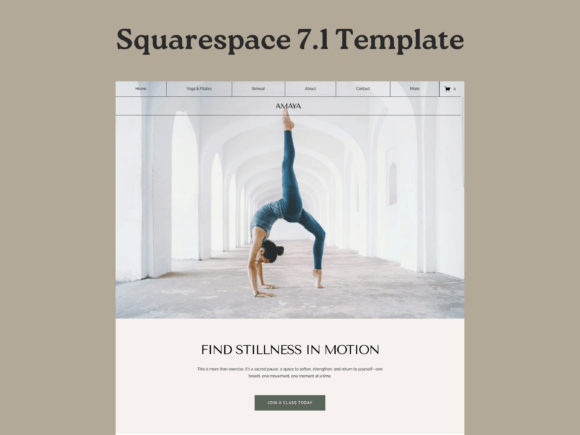
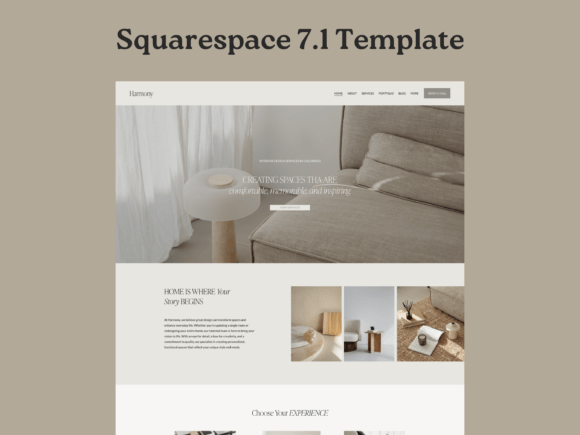
Squarespace sites feel “premium” when they’re calm and intentional: strong typography, generous spacing, clean sections, and a clear next step. Many sites lose leads because the hero is vague, pages are hard to scan, or CTAs compete. Templates solve the layout decisions so you can focus on message, proof, and a smooth path to contact or booking.
- Instant polish: clean spacing and hierarchy look professional fast.
- Easy scanning: sections guide visitors through your story.
- More trust: proof blocks show up where people expect them.
- Fast edits: swap content and keep the look consistent.
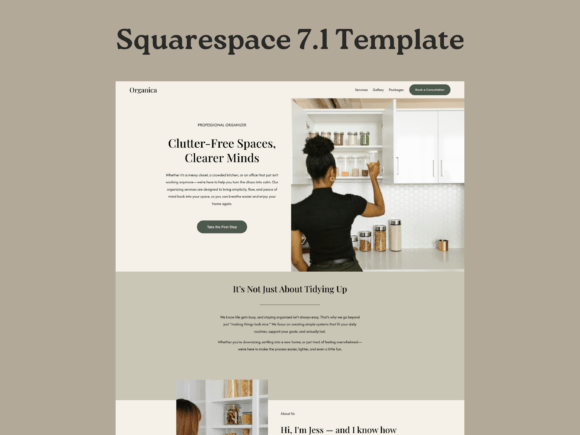
Squarespace template types
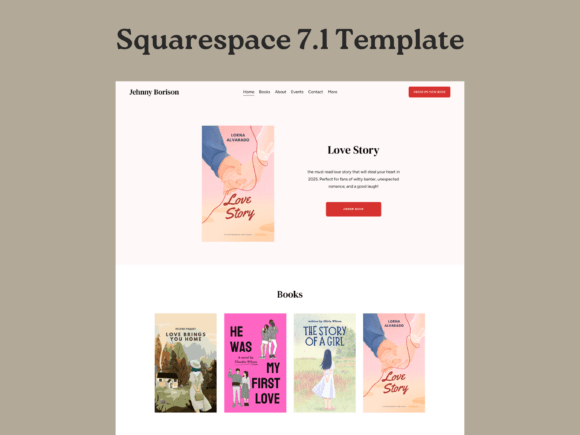
Choose one primary direction based on your goal: showcase work, sell services, or capture inquiries. Then add support sections (FAQ, pricing, testimonials, booking/contact) to reduce hesitation and increase conversions.
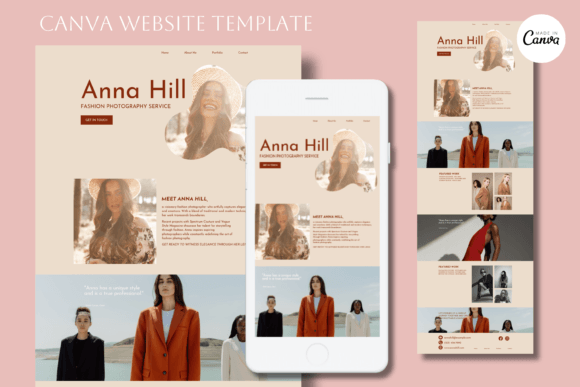
Portfolio / personal brand websites
- Best for: creators, designers, photographers, freelancers.
- Use when: you need elegant work presentation + inquiry CTA.
- Key pages: Portfolio, About, Services, Contact.
Service business websites
- Best for: studios, wellness, beauty, consultants, local services.
- Use when: you sell packages and want inquiries or booked calls.
- Key pages: Services, Proof/Testimonials, FAQ, Contact/Booking.
Landing pages (single goal)
- Best for: ads, launches, waitlists, lead magnets.
- Use when: you want one page to convert (signup, booking, contact).
- Key sections: hook, benefits, proof, FAQ, CTA.
Restaurant / menu-first websites
- Best for: cafes, restaurants, bars, food brands.
- Use when: you need menu + location + reservations fast.
- Key pages: Menu, Reservations, Location/Hours, Contact.
Shop / ecommerce-lite websites
- Best for: small product lines, creators selling a few items.
- Use when: your store is simple and design-led.
- Key pages: Shop, Product pages, FAQ, Contact.
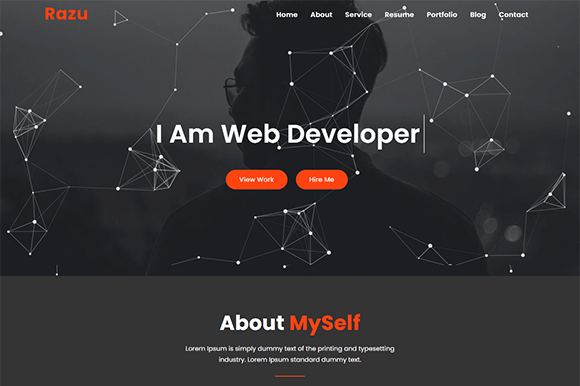
Must-have sections (the lead-ready structure)
Squarespace works best when your site feels calm and clear. Visitors should understand what you offer, who it’s for, and how to start within the first 10 seconds – especially on mobile.
- Hero: what you do + who it’s for + one primary CTA.
- Offer / services: 3–6 scannable blocks with outcomes.
- Proof: testimonials, results, logos, credentials.
- Process: simple 3-step “How it works”.
- FAQ: pricing, timeline, what’s included, next steps.
- Contact CTA: short form + clear next step.
Copy blocks you can reuse (headline + bullets)
Squarespace templates convert faster when your copy is specific. Use these clean, “plug-and-play” blocks for hero sections and service pages.
Hero headline formulas
- [Service] for [Audience] (example: “Web design for boutique brands”).
- Get [Outcome] without [Pain] (example: “Get more bookings without a cluttered website”).
- [Role] who helps [Audience] achieve [Outcome] (example: “Photographer helping founders build a premium image”).
- [Offer] in [Timeframe] (example: “A new site in 7 days”).
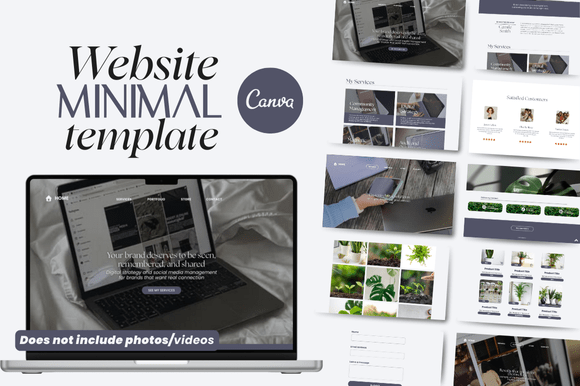
Conversion frameworks (copy-paste outline)
Pick one framework and repeat it across your pages. Consistency makes your site feel designed, trustworthy, and easy to navigate.
- Hook → Services → Proof → Process → CTA (best for services)
- Problem → Solution → Results → Packages → CTA (best for studios and consultants)
- Offer → Benefits → Proof → FAQ → CTA (best for landing pages)
- Work → Story → Testimonials → Services → CTA (best for portfolios)
Readability checklist (Squarespace-friendly)
- Keep sections short: avoid long paragraphs; use bullets.
- One main CTA: don’t compete with multiple actions.
- Typography consistency: 1–2 fonts, clear heading hierarchy.
- Proof is visible: reviews, logos, results, credentials.
- Mobile spacing: generous whitespace feels premium.
Recommended picks
Start with one consistent system: homepage + services + contact. Choose a style (minimal, editorial, bold), then customize your hero headline and CTA first. In Squarespace, clarity and spacing matter more than “more design”.
Squarespace Portfolio Templates
Editorial, minimal layouts to showcase work and attract premium clients.
View options →Squarespace Business Website Layouts
Clean service pages with proof blocks, pricing cues, and contact CTAs.
View options →Squarespace Landing Page Templates
Offer-first pages for launches, waitlists, and lead capture.
View options →Minimal Website Banner Templates
Clean hero banners and headers that match the Squarespace aesthetic.
View options →FAQ
What pages should a Squarespace website include?
At minimum, your site should answer: what you do, who it’s for, why trust you, and how to start. Keep it simple and add pages only when they support conversions.
- Home: clear offer + proof + CTA.
- Services / Work: outcomes, examples, what’s included.
- About: credibility + positioning.
- Contact: short form + clear next step.
- FAQ (recommended): pricing, timeline, what’s included.
Related template hubs
Website Templates (Main Hub)
Browse all website template categories and styles in one place.
Explore →Next step
Pick one Squarespace template system, define a mini brand kit (fonts + 2–3 colors), and publish consistently. Start with Home + Services/Portfolio + Contact. Then add proof and a clear process. When your site feels calm, scannable, and trustworthy, inquiries go up.