If you sell on Etsy and want faster listing improvements, an AI Etsy Coach can save time and reduce a lot of the guesswork that usually slows sellers down. This guide explains how the tool works, who it helps most, and how to use the suggestions in a practical way for titles, tags, descriptions, and conversion-focused copy.
This page is especially useful for sellers who have decent products but feel like their listings are still too vague, too repetitive, or too hard to improve consistently.
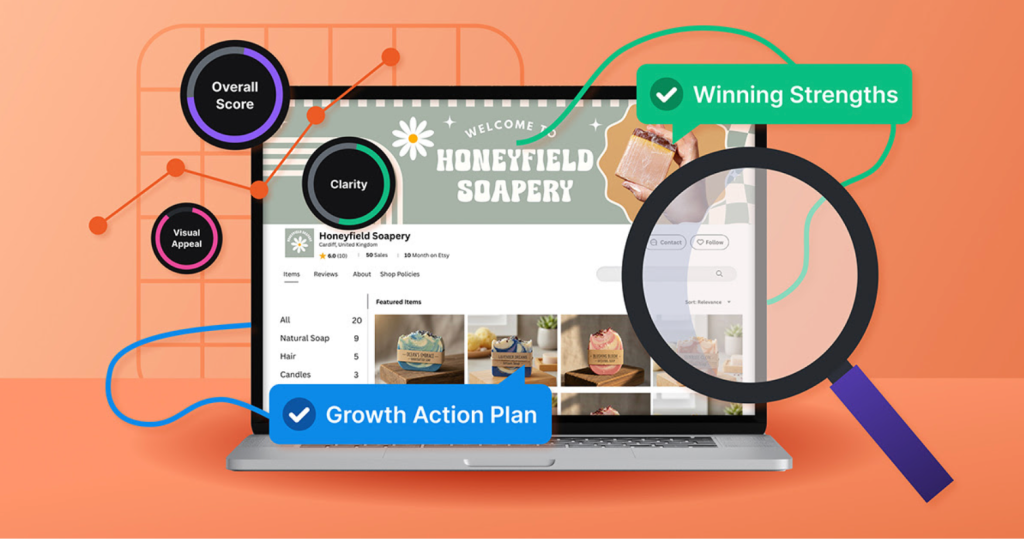
What Is the AI Etsy Coach?
An AI Etsy Coach is a tool that reviews your listing content and gives you structured improvement ideas. Instead of editing blindly, you get feedback on title clarity, keyword positioning, buyer intent, description structure, and overall listing quality.
For many Etsy sellers, that matters because the hardest part is not always writing the first draft. It is knowing what to improve first without rewriting the entire listing every time.
Who this tool is for
- New Etsy sellers who need a clearer optimization routine
- Busy shop owners who want faster listing updates without starting from zero
- Digital product, POD, and handmade sellers managing multiple listings at once
- Sellers who know their listings feel weak but cannot always see exactly why
What problems it helps solve
- Weak or generic listing titles
- Tags that do not match the phrases buyers actually use
- Descriptions that feel too long, too vague, or hard to scan
- Low conversion because the value of the product is not obvious fast enough
How the AI Etsy Coach Works
Step 1: Add your listing data
Start with your current title, tags, opening description paragraph, and product type. It is usually better to work one listing at a time instead of trying to fix the whole shop at once.
Step 2: Run the analysis and review the feedback
The tool highlights what may be missing: keyword intent, structure, clarity, buyer language, and listing focus. The best way to use that feedback is as a checklist, not as unquestionable truth.
That part matters. AI can point out patterns quickly, but it still does not know your exact niche, your best-converting angles, or the language your buyers use better than you do.
Step 3: Apply the strongest suggestions and publish
Start with the highest-impact edits first: title clarity, better tags, and a cleaner first paragraph. Then improve the rest of the description for readability and buyer confidence. The goal is not to make the listing sound “AI-optimized.” The goal is to make it easier for a real buyer to understand and trust.


Real Workflow: Optimize One Etsy Listing in About 20 Minutes
A practical workflow usually works better than “perfect optimization.” If you only have 20 minutes, this is the order I would use:
Quick audit checklist
- Is the title specific enough to understand in seconds?
- Do the tags sound like real buyer phrases instead of internal wording?
- Does the first sentence clearly explain what the buyer gets?
- Is there a simple reason to click, save, or buy now?
Rewrite the title and tags first
Titles and tags are usually the fastest place to improve weak listings. Remove filler, move the strongest terms earlier, and stop trying to say everything in one overloaded title. Buyers scan quickly, and Etsy surfaces relevance quickly too.
Then fix the opening of the description
The first paragraph should answer the buyer’s basic question fast: what is this, who is it for, and why is it useful or special? If the opening is too vague, the whole listing feels weaker even if the rest is decent.
Keep the rest easy to scan
Short paragraphs and bullet points usually outperform dense blocks of text. Buyers want product details, what they receive, how they can use it, and what to do next. They do not want to work hard to find that information.
What Works Well and What to Watch Out For
Main strengths
- Faster editing decisions when you feel stuck
- More repeatable workflows across many listings
- Less content fatigue for sellers who update products often
- Quicker spotting of obvious weak points before publishing
What to watch out for
- Check generic suggestions against your niche before using them
- Validate important keywords manually
- Ignore polished advice that does not fit the product or buyer
- Track performance after edits instead of assuming improvement
The most common mistake with tools like this is over-trusting them. The strongest use case is not “let AI rewrite everything.” It is “let AI help me see weak spots faster, then I keep the changes that actually improve results.”
Who Should Use It
This tool is a strong fit for sellers who want a practical editing process and faster iteration. If your shop has many listings, limited time, or inconsistent copy quality, AI coaching can help you work more systematically instead of guessing your way through updates.
Who Should Probably Skip It
If you already have a proven listing system, strong niche-specific keyword research, and a clear internal content workflow, you may not get as much value from it. It is most useful when your current process feels inconsistent, slow, or too dependent on guesswork.
Final Verdict
If your listings feel uneven, or if conversions are lower than expected and you are not sure what to fix first, this tool is worth testing. Use it as a structured assistant, not a replacement for judgment. Keep the changes that improve clarity, clicks, saves, and sales — and ignore the ones that just make the copy sound more “optimized” without making it more useful.
FAQ
What is an AI Etsy Coach?
It is a tool that reviews Etsy listing content and gives suggestions for stronger titles, tags, descriptions, and buyer-focused copy.
Can beginners use it?
Yes. It is beginner-friendly and can help build a clearer optimization routine without requiring advanced SEO knowledge first.
Does it replace keyword research?
No. It can speed up listing improvements, but you should still validate important search terms and buyer language manually.
What should I optimize first?
Start with title clarity, intent-matching tags, and the first paragraph of the description. Those are often the fastest wins.
Is it useful for digital and POD listings?
Yes, especially for shops that publish often and need faster copy revisions across many products.
How often should I update Etsy listings?
Every 2–4 weeks is a practical rhythm for active listings, or sooner in seasonal and highly competitive niches.
You may also like
- Creative tools and seasonal deals for makers
- Step-by-step tutorials and classes
- Canva brand kit templates and editable assets
- Fonts for branding and shop visuals
- Creative tools for small business
Try AI Etsy Coach
Get structured feedback for titles, tags, and descriptions, then keep only the changes that improve clarity, clicks, and conversions.