Cricut Machines, Tools & Guides
Cricut is the go-to cutting platform for crafters, makers and small businesses. Whether you need precision vinyl cuts, intricate paper designs or sublimation blanks, Cricut machines deliver professional results. Explore our reviews, guides and free resources to get the most from your Cricut.
Top Picks
Cricut Maker 3 Smart Cutter Review
Our in-depth review of the flagship Maker 3. Cuts 300+ materials, Smart Materials compatible, 10x faster than original Maker.
Read ReviewFree SVG Files for Cricut
Curated collection of free SVG cut files for Cricut. Ready to use in Design Space for cards, vinyl, and more.
Browse Free SVGsCricut Explore 3 Bundle Review
Full review of the Explore 3 bundle with digital content. Great mid-range option for everyday crafting.
Read ReviewPrint Then Cut Cricut Guide
Step-by-step guide to Print Then Cut. Create stickers, labels and full-color designs with your Cricut.
Learn Print Then CutCricut Machines
Cricut Joy Xtra Smart Cutting Machine
Compact design, 6″ cutting width. Smart Materials compatible. Ideal for cards and small projects.
View Joy XtraCricut Maker 3 Smart Cutter
12″ cutting width, 300+ materials. Rotary blade, knife blade, engraving. Best for heavy-duty crafting.
Read ReviewCricut Explore 3 Bundle
12″ cutting width, Smart Materials. Includes digital content bundle. Great value for beginners.
Read ReviewAccessories
Cricut Smart Permanent Vinyl Sampler
Pre-sized vinyl sheets for Cricut Smart Materials. No mat needed. Multiple colors for decals and signs.
View SamplerCricut Joy Xtra Standard Grip Mat
Standard grip mat for Joy Xtra. Holds paper, cardstock and light materials securely during cutting.
Read ReviewCricut Cutaway Cards Lagoon Sampler
Pre-designed cutaway card blanks. Create layered cards quickly. Lagoon color theme.
View SamplerCricut EasyPress Mini
Compact heat press for small HTV projects. 6″ x 7″ platen. Perfect for baby onesies and pockets.
View EasyPress MiniCricut Ceramic Coffee Mug for Sublimation
White ceramic mug blank for sublimation. Works with Cricut Infusible Ink or sublimation transfers.
View MugGuides & Tutorials
Learn how to use Print Then Cut for stickers, labels and full-color designs. Includes calibration tips and project ideas.
Where to find and how to use free SVG files in Cricut Design Space. Curated sources for crafters.
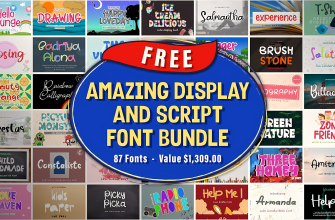
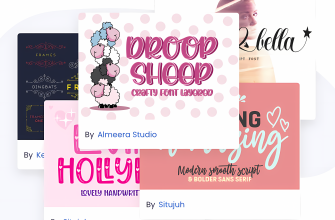
Font recommendations for cutting machines. Single-line fonts for pen and foil, multi-line for vinyl and paper.
Explore More
FAQ
Which Cricut machine is best for beginners?
The Cricut Explore 3 is an excellent choice for beginners. It offers a 12″ cutting width, Smart Materials support and a user-friendly Design Space app. The bundle with digital content gives you plenty of projects to start with.
What is the difference between Cricut Maker 3 and Explore 3?
The Maker 3 can cut 300+ materials including fabric, balsa wood and leather using specialty blades like the rotary and knife blade. The Explore 3 uses only the Fine Point and Bonded Fabric blades. Maker 3 is best for heavy-duty crafting; Explore 3 suits paper, vinyl and light materials.
Do I need a mat for Cricut Smart Materials?
No. Cricut Smart Materials are designed to feed directly into Maker 3, Explore 3 and Joy Xtra without a mat. They come in pre-sized rolls and sheets. For regular materials like cardstock, you still need a cutting mat.
Can I use free SVG files with Cricut?
Yes. You can upload SVG files to Cricut Design Space and cut them with any Cricut machine. SVG files work best because they scale without losing quality. Check our Free SVG Files for Cricut page for curated sources.
What accessories do I need to start with Cricut?
At minimum you need a cutting mat and a blade. Most bundles include these. For vinyl projects, add transfer tape and a weeder. For heat transfer, you will need an EasyPress or heat press. Our Accessories section above lists recommended products.