Templates Built to Capture Buyer & Seller Leads
Real estate landing pages turn clicks into calls and valuation leads with a proven flow: hero → offer → proof → form → FAQ → CTA. Instead of sending visitors to a full website, these pages focus on one action – so the next step feels obvious. As a result, you can capture more buyer and seller leads while keeping the layout, trust blocks, and CTAs easy to customize.
Why real estate landing pages work
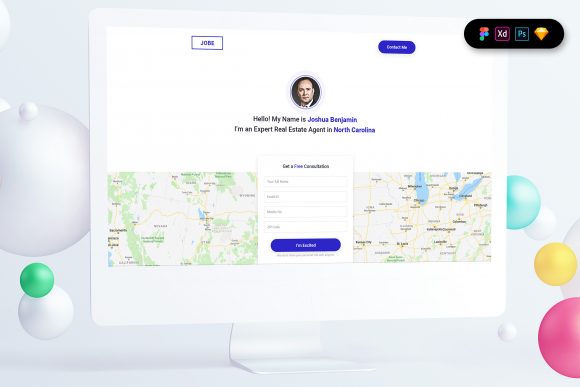
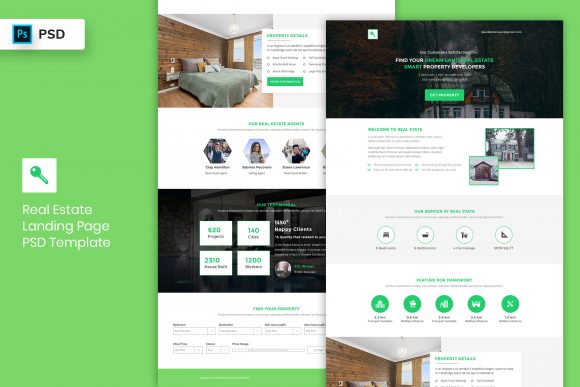
Real estate pages convert when they remove uncertainty fast: what the visitor gets, how quickly you respond, and why they should trust you. However, many pages fail because the offer is vague, the form is too long, or proof is missing near the CTA. That’s why templates matter – they lock in the right structure, so you can focus on one clear promise and one primary action.
- Clear offer: valuation, new listings, appointment, or inquiry.
- Trust faster: reviews, badges, numbers, market expertise near the CTA.
- Less friction: short forms + clear “what happens next”.
- Better tracking: one page, one goal (lead).
Real estate landing page template types
Pick the template based on the lead you want. For example, valuation pages work best for seller leads, while listing alerts are ideal for buyers. In addition, keep one primary CTA across the page (Get valuation / Get listings / Book showing / Contact agent) to avoid competing actions.
Home valuation pages (seller leads)
- Best for: sellers and listing appointments.
- Key blocks: value promise, comps/market notes, proof, short form.
- CTA: “Get my home value”.
New listings signup pages (buyer leads)
- Best for: buyers who want alerts by area/price.
- Key blocks: “what you’ll get”, filters, sample listings, 2-field form.
- CTA: “Get new listings”.
Open house / showing RSVP pages
- Best for: event-style conversions.
- Key blocks: date/time, location, highlights, RSVP form, directions.
- CTA: “Reserve a time”.
Rental inquiry / application pages
- Best for: property managers and rentals.
- Key blocks: requirements, documents, contact, next steps.
- CTA: “Apply now” or “Request details”.
Must-have sections (the lead-ready structure)
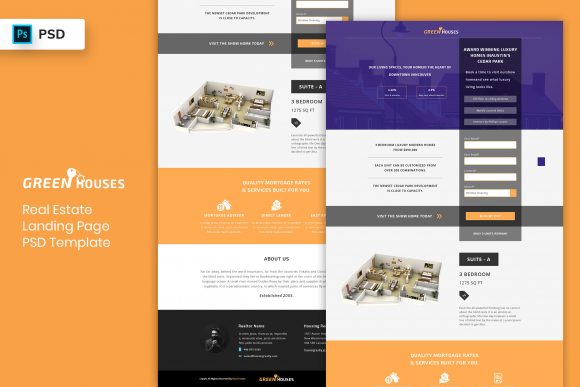
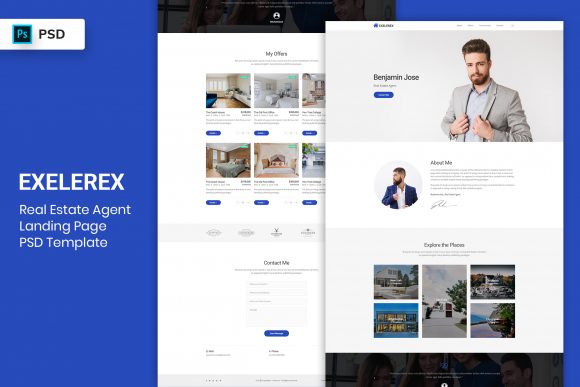
High-converting real estate pages are calm and scannable. Visitors should understand the offer and trust you within the first 10 seconds – especially on mobile.
- Hero: offer + outcome + one CTA.
- Value bullets: 3–6 benefits focused on results.
- Trust block: reviews, logos, years in market, transactions, ratings.
- Form: short fields + privacy note + response time.
- Local proof: neighborhoods served, map cue, recent results (if you have them).
- FAQ: timing, cost, what happens after submit, data privacy.
- Final CTA: repeat the same action (no competing buttons).
Copy blocks you can reuse
Real estate pages convert faster when the copy is specific: location, timeline, and what the visitor gets next. Use these plug-and-play blocks.
Hero headline formulas
- Get New Listings in [Area] (example: “Get New Listings in Austin Every Morning”).
- Find Out What Your Home Is Worth (with a fast timeline promise).
- Book a Showing for [Property / Area] (make it one clear action).
- Talk to a Local Agent in [Timeframe] (example: “within 15 minutes”).
CTA button text that works
- Valuation: “Get my home value”, “Request valuation”.
- Buyer leads: “Get new listings”, “Send me matches”.
- Appointments: “Book a call”, “Schedule a showing”.
- Rentals: “Apply now”, “Request details”.
Conversion frameworks (copy-paste outline)
- Offer → Benefits → Proof → Form → FAQ → CTA (best for valuation and buyer leads)
- Property Highlights → Trust → RSVP Form → Directions → FAQ → CTA (best for open house)
- Problem → Solution → Local Proof → Appointment CTA (best for agent consult pages)
- Requirements → Process → Documents → Apply CTA (best for rentals)
Conversion checklist (quick wins)
- One primary CTA: don’t compete with multiple actions.
- Short form: ask only what you need (2–6 fields).
- Response time: say how fast you follow up.
- Trust near CTA: reviews/metrics close to form or button.
- Mobile-first: CTA visible early, big tap targets, calm spacing.
Before you publish, run a quick check. Otherwise, small issues like a long form or unclear follow-up timing can reduce conversions.
Recommended picks
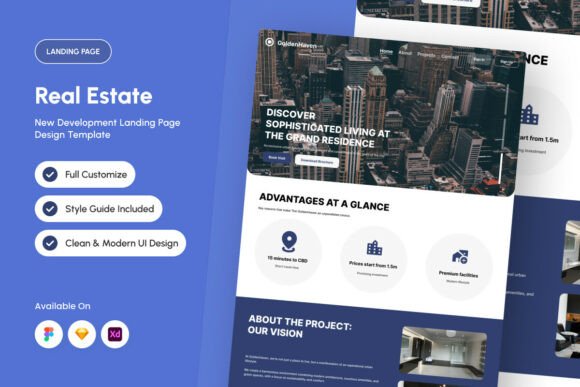
Start with one offer and one CTA. Then improve conversion by testing headline specificity (area + outcome) and proof placement (right next to the form).
Home Valuation Pages
Seller-lead layouts with a clear promise, proof, and short forms.
View options →New Listings Signup Pages
Buyer lead pages with alerts, filters, and low-friction opt-ins.
View options →Open House RSVP Pages
Event-style pages with date/time, highlights, RSVP, and directions.
View options →Rental Inquiry / Application Pages
Rental lead pages with requirements, steps, and apply CTAs.
View options →FAQ
How many form fields should a real estate landing page have?
Use the minimum – then qualify later. For buyer alerts, 1–2 fields usually convert best. For valuations, aim for 2–4 fields (typically address + email). When booking appointments, collect name + email and add one qualifier. After that, you can ask for extra details on the confirmation page or during follow-up.
What builds trust fastest on real estate pages?
- Local proof: neighborhoods served and recent results (if you have them).
- Reviews: ratings and testimonials near the CTA.
- Speed promise: response time (“We reply within…”).
- Clear privacy note: what happens after submit.
Related landing page hubs
Landing Page Templates (Main Hub)
Browse all landing page categories and styles in one place.
Explore →Services / Agency Landing Pages
Quote and consultation pages built to convert service leads.
Explore →SaaS Demo / Free Trial Landing Pages
Feature-first pages built for demos, trials, and signups.
Explore →Next step
Pick one CTA (valuation, listings, or appointment), write one specific promise (area + outcome), and place proof right next to the form. Then test the hero headline and proof placement before redesigning anything – those two changes usually move conversions the fastest.